![CloudNine_Transparent_Low Res.png]](https://kb.cloudnine.com/hs-fs/hubfs/1%20-%20CloudNine%20MARKETING/1%20-%20LOGOS/CloudNine%20Logos/CloudNine_Transparent_Low%20Res.png?height=40&name=CloudNine_Transparent_Low%20Res.png)
In this article we cover using Select and Multi-select fields
Fields can be created in the Modify Fields section more information on creating fields can be found HERE
Select Fields: Allow users to select a single field from a list of options. This allows you to set up some fields so that a user can not select documents to be both Responsive and Nonresponsive at the same time.
Using Select Fields: To select an option hover over the field and the list of options will appear. Click on the Radio icon to select an option. Once an option has been selected it will autosave. Once you hover away from the box only the option selected will appear.

Selected State
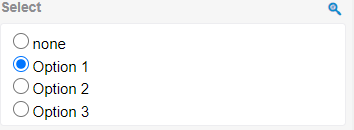
Selection State
Multi-Select Fields: Allow users to select multiple options from a list of options. on the field. This allows users to take up less real-estate during review and allows for better organization. Multi-Select Filed are not Group Tag supported.
Using Multi-Select Fields: To select an option, hover over the field and the list of options will appear. Click on the Checkbox icon to select an option. Once an option has been selected it will autosave. if multiple options need to be selected simply click on the additional Check box, no options will be unselected. Once you hover away from the box only the options selected will appear.
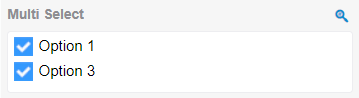
Selected State
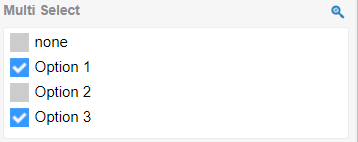
Selection State