![CloudNine_Transparent_Low Res.png]](https://kb.cloudnine.com/hs-fs/hubfs/1%20-%20CloudNine%20MARKETING/1%20-%20LOGOS/CloudNine%20Logos/CloudNine_Transparent_Low%20Res.png?height=40&name=CloudNine_Transparent_Low%20Res.png)
Navigation

Search Fields
Partial Words
Use wildcards * and ? to perform partial word searches.
Note: Enhancements to search indexes were implemented in December 2022 to require the use of wildcards for partial word search.
Projects created before December 2022 may return partial word results without the use of wildcards if All of the words/phrases options are selected. For example, a search for the term less would return hits such as careless, useless, lesson, lesser, lessor, careless, etc.
If your project was created before December 2022, contact support@cloudnine.com to have your project re-indexed to implement the search enhancements.
Note: Case sensitivity improvements were implemented in Version 2022.12.002. If your project was created earlier than December 2022 a re-index will need to be completed. Please contact CloudNine support at support@cloudnine.com.
Proximity Between Words
Wildcards
Also, wildcards cannot be mixed with fuzziness.
Special Characters
Full Query String, Has Any of the Words (OR), and Has All of the Words (AND) support both single and multiple character wildcards.
https://www.elastic.co/guide/en/elasticsearch/reference/current/regexp-syntax.html
https://support.esianalyst.com/portal/en/kb/articles/search-options-available-in-esi-analyst
Wrap Word Sets in Parentheses.
Wrapping Phrases in Quote Marks
Boolean Operators
Fuzziness
Slop
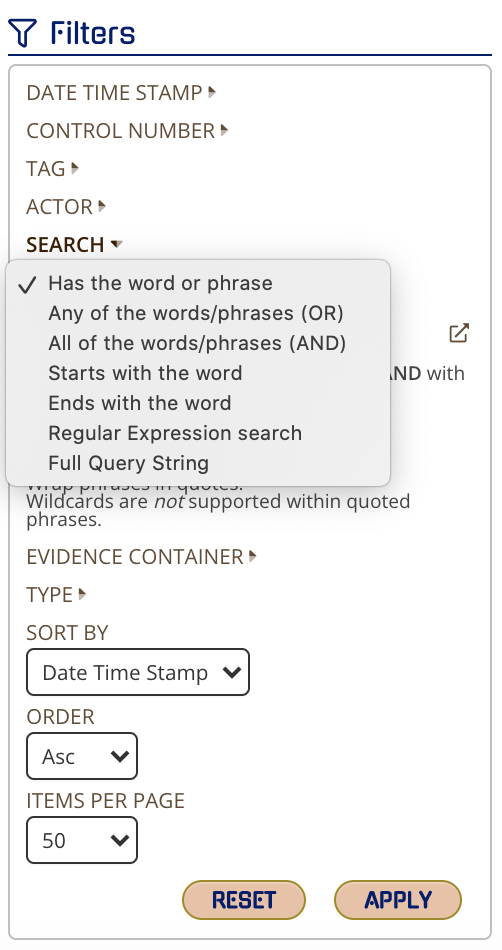
Explanations for Each Search Type