- From the Case Manager tab, double-click on the desired Case to open it, and then navigate to the Import sub-tab.
- Expanding/Collapsing Custodians: Click the
 button to expand all custodians, and the
  button to collapse all custodians.
 - To expand or collapse a single custodian, click the
 button for the desired custodian.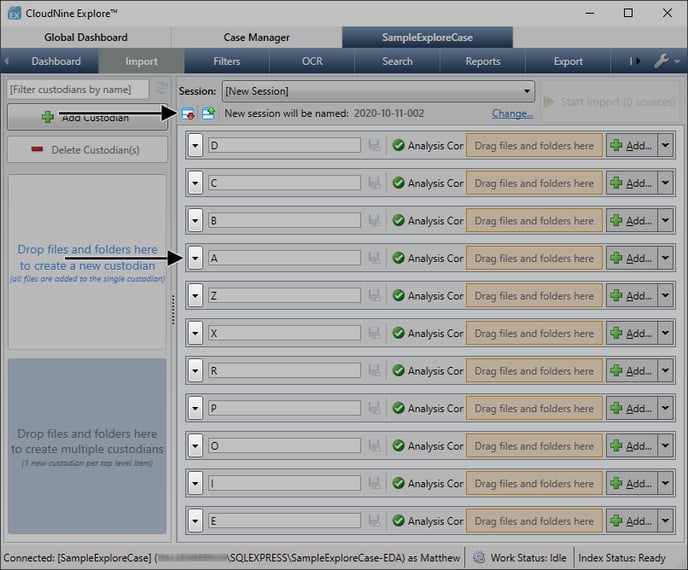
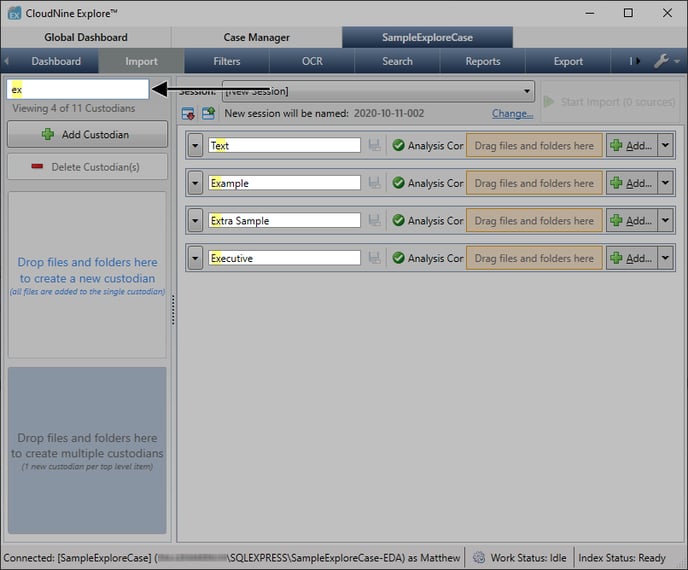
- Filtering Custodians by Name: Enter a custodian name or string into the box provided at the top-left. The custodian list will update in real-time, displaying only matching custodians.
- Clear the custodian name filter box to display all custodians again.
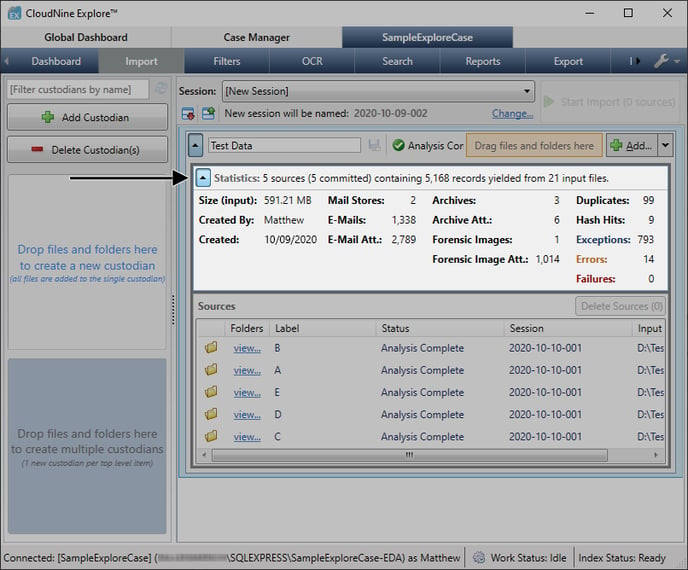
- Viewing Custodian Statistics: Expand the desired custodian, and then click the
 button to further expand the Statistics for that custodian.
 - For more information on these custodian statistics, refer to the Custodian Maintenance Answer Center topic.
English
![CloudNine_Transparent_Low Res.png]](https://kb.cloudnine.com/hs-fs/hubfs/1%20-%20CloudNine%20MARKETING/1%20-%20LOGOS/CloudNine%20Logos/CloudNine_Transparent_Low%20Res.png?height=40&name=CloudNine_Transparent_Low%20Res.png)