- From the Case Manager tab, double-click on the desired Case to open it, and then navigate to the Export sub-tab.
- Loading Export Sets: Start by clicking the Manage... link at the top-left to open the Manage Exports window.
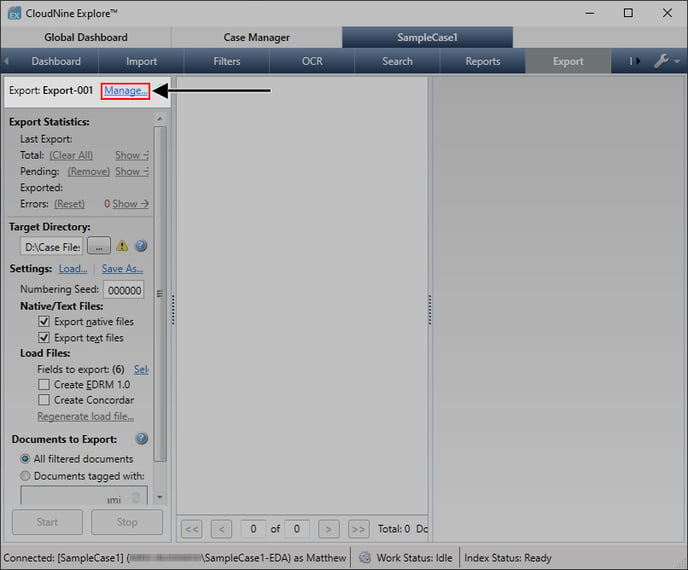
- From here, do the following:
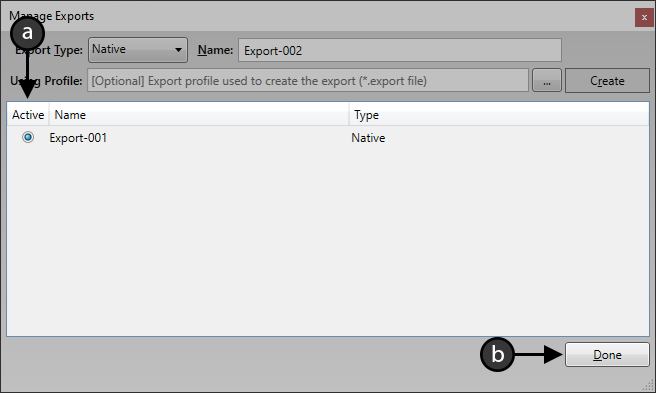
- Use the radio buttons under the Active column to select the desired export set.
- Click Done at the bottom-right to load that set.
- Loading Export Profiles: With the desired export set loaded, click the Load... link at the middle-left to open a File Explorer.
- From the File Explorer, navigate to and select the desired export profile, and then click Open at the bottom-right to load it.
💡 LAW Direct Exports cannot use profiles created for Native Exports, and vice versa. Native Subset Exports cannot use profiles at all. 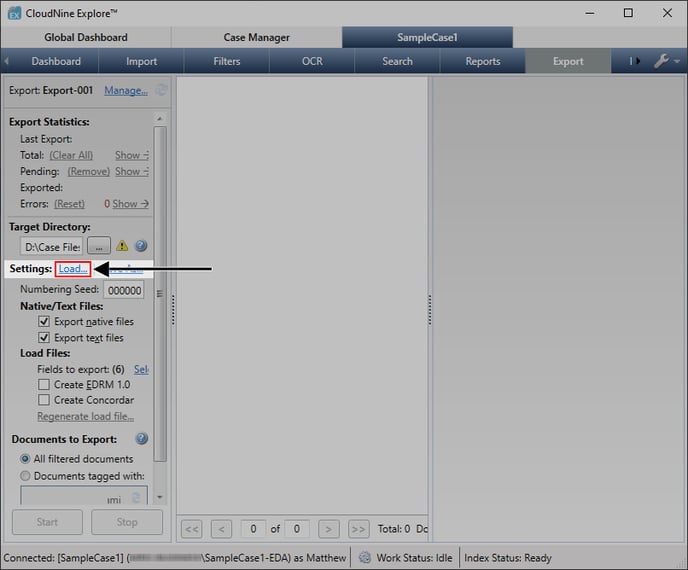
English
![CloudNine_Transparent_Low Res.png]](https://kb.cloudnine.com/hs-fs/hubfs/1%20-%20CloudNine%20MARKETING/1%20-%20LOGOS/CloudNine%20Logos/CloudNine_Transparent_Low%20Res.png?height=40&name=CloudNine_Transparent_Low%20Res.png)