![CloudNine_Transparent_Low Res.png]](https://kb.cloudnine.com/hs-fs/hubfs/1%20-%20CloudNine%20MARKETING/1%20-%20LOGOS/CloudNine%20Logos/CloudNine_Transparent_Low%20Res.png?height=40&name=CloudNine_Transparent_Low%20Res.png)
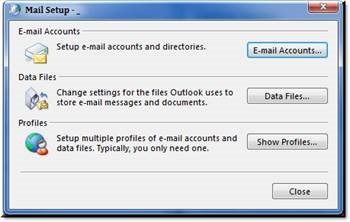
- Open Control Panel> Mail (32 bit)> and select 'Show Profiles'.
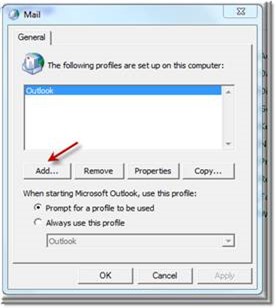
- Select 'Add'.
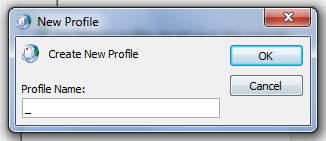
- Enter an underscore in the name and 'OK'.
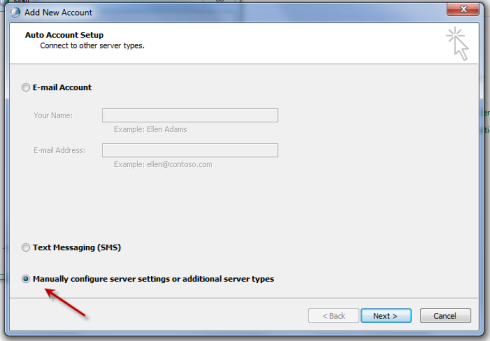
4. Ensure 'Manually configure server setting or additional server types' is selected and click 'Next'.
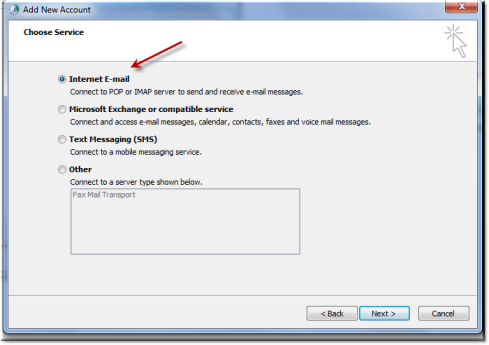
5. Ensure 'Internet E-Mail' is selected and click 'Next'.
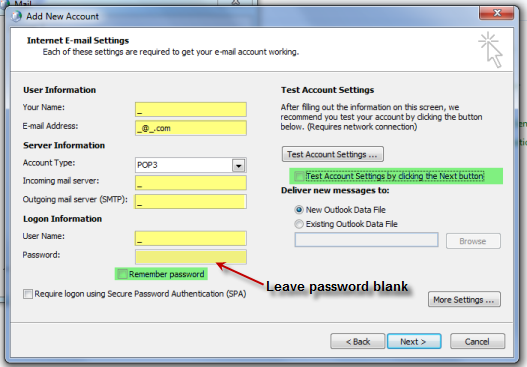
6. Ensure your entries match the screenshot below and DISABLE 'Remember password' and uncheck 'Test Account Settings. . . ' and select 'Next'
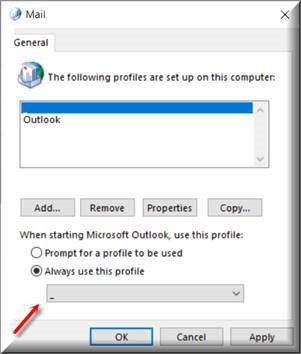
7. Select the _profile from your drop down and 'OK'
Published by: John Hartman