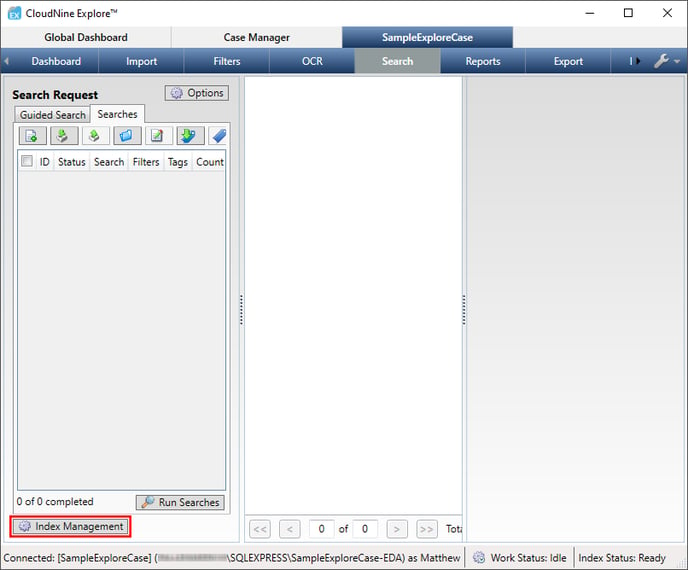
- From the Case Manager tab, double-click on the desired Case to open it, and then navigate to the Search sub-tab.
- From here, click the Index Management button at the bottom-left.
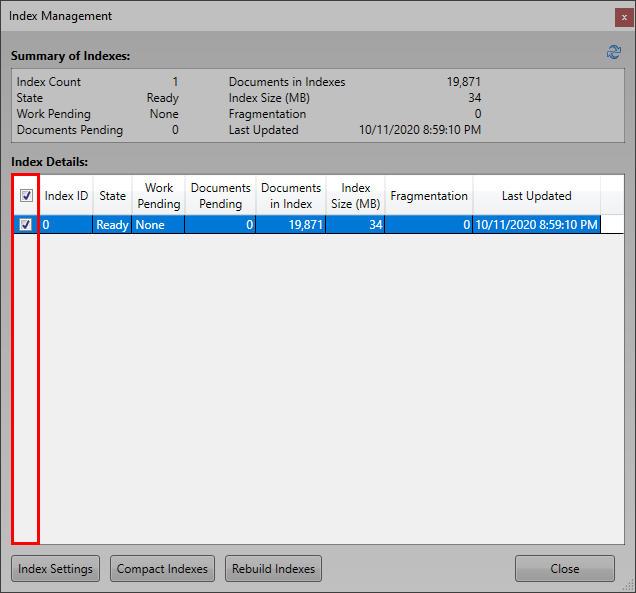
- The Index Management window will open. Select the desired indexes from the Index Details list by checking their boxes in the far-left column.
- Compacting Indexes: Click the
 button, and then select Yes at the Compact prompt to begin compacting the selected indexes.
 - Rebuilding Indexes: Click the
 button, and then select Yes at the Rebuild prompt to begin rebuilding the selected indexes.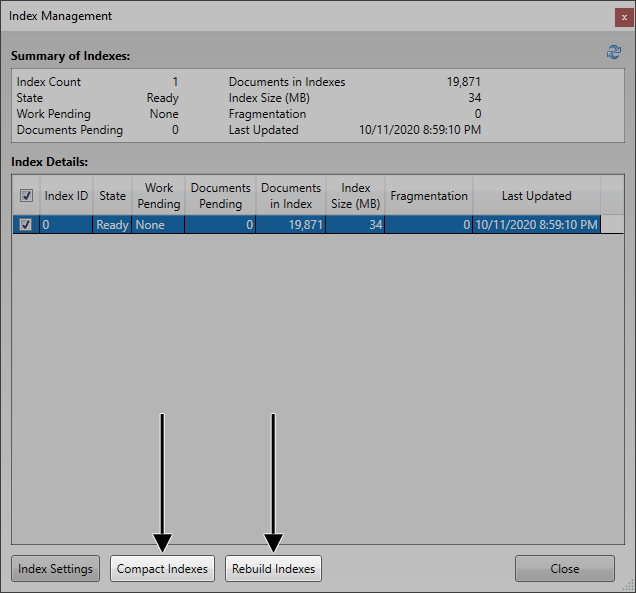
English
![CloudNine_Transparent_Low Res.png]](https://kb.cloudnine.com/hs-fs/hubfs/1%20-%20CloudNine%20MARKETING/1%20-%20LOGOS/CloudNine%20Logos/CloudNine_Transparent_Low%20Res.png?height=40&name=CloudNine_Transparent_Low%20Res.png)